
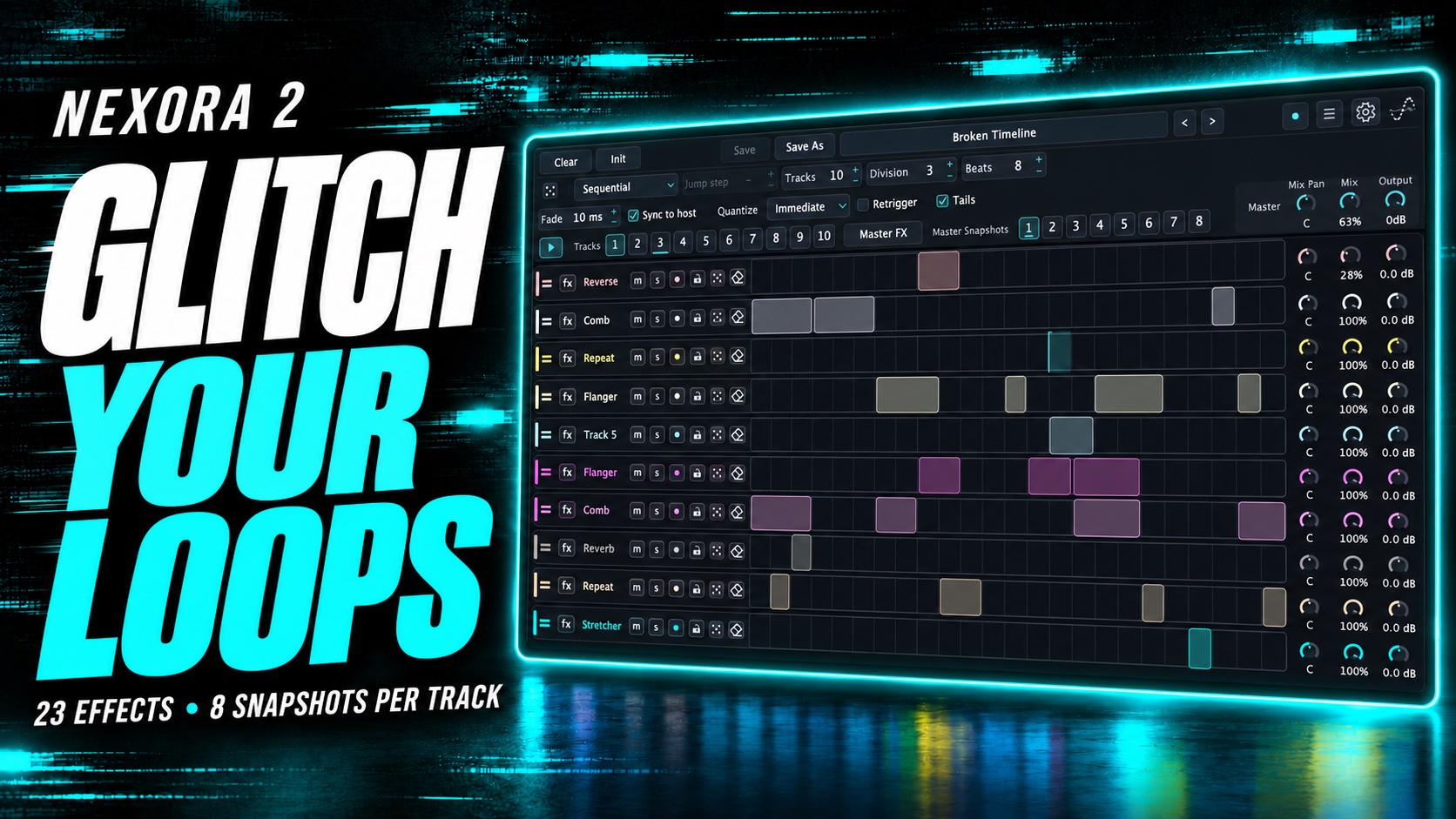
Put effects in time.
Build rhythmic patterns on a tempo-synced grid. Resize either edge, move a region, or drag vertically to choose a snapshot.
Multi-track glitch & effects
Draw the rhythm. Choose the effects. Let ten tracks of movement turn a simple sound into something you didn’t plan.
$49USD · Nexora license
A creative audio effects plug-in for your compatible DAW.
Nexora 2 / In action
See Nexora 2 in action: rhythmic patterns, creative effects and eight independent snapshots per track.
YouTube loads only when you choose to play.
01 / The workflow
Each of the ten tracks has its own effect chain and eight independent snapshots. Draw regions on the grid and assign a different snapshot to each pattern. One track can change character while the others keep their own sound.
Build rhythmic patterns on a tempo-synced grid. Resize either edge, move a region, or drag vertically to choose a snapshot.
Play tracks in Parallel, Sequential, Random Step, Random Track, Selected Track or Mixdown mode. Give the same grid a different sense of movement.
Switch master snapshots, automate playback, and balance tracks with Mix Pan, Mix and Output controls.
02 / The effects
Every track has its own set of eight effect snapshots, independent of the other tracks. Shape different variations of its chain, then let grid patterns recall them — or choose a random snapshot each time a pattern plays.
Repeat, Reverse, Pitch Drop, Shuffle and Fracture transform the shape and timing of your audio.
Explore filters, modulation, distortion, delays, reverbs and comb filtering. Keep your chain in the order that works for the sound.
Keep eight versions of each track’s effect settings ready to play. Give every pattern a snapshot, edit a variation in place, or let Random choose the next one. Master snapshots shape the final chain separately.
03 / Controlled chance
Choose which effects can appear, how many are used and how much of the grid is filled. Decide whether patterns and snapshots change too.
Randomise effects, grid patterns and snapshots with separate options.
Use locks to protect the tracks and effects you want to keep.
04 / Capture the moment
Record Nexora’s output directly. Start manually or use the automatic threshold, then export your recording for the next part of your track.
Go somewhere unexpected.
Explore the trial in your DAW before purchasing a license.