SAMPLE & SHAPE
Find another side
of your sound.
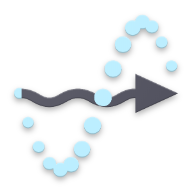
Edit the waveform, set loop points and reverse playback. Explore pitch, portamento and FM synthesis, or draw your own pitch and gain curves.
DWP16 2 · SAMPLE. SHAPE. SEQUENCE. PERFORM.
Build a rhythm. Layer your patterns.
Turn a performance into your next sound.
Sixteen sample channels, a sequencer for each, and effects that move with your music. Version 2 brings parallel patterns, flexible modulation and hands-on XY control into one instrument.
$79USD · One-time purchase
macOS & Windows · Plug-in and Standalone
FROM A SINGLE SAMPLE TO SOMETHING YOURS
Move between detailed editing and hands-on playing without leaving the instrument. A drum hit, a voice or a texture is just the starting point.
SAMPLE & SHAPE
Edit the waveform, set loop points and reverse playback. Explore pitch, portamento and FM synthesis, or draw your own pitch and gain curves.
SEQUENCE & TRANSFORM
Build eight patterns of up to 32 steps per channel. Play them in sequence, arrange a playlist or layer patterns in parallel. Shape pitch, velocity, pan, timing and snapshots step by step.
MODULATE & PERFORM
Play sixteen XY pads, connect LFOs across channels and shape movement with four XY controllers. Set return positions and smoothing, then keep every connection in view in the modulation manager.
START WITH THE DETAILS
Set a loop, reverse a phrase or draw pitch and gain curves directly over your sample. Use FM to add a new edge, then render the result into fresh audio with Process Sample.
EIGHT PATTERNS. SEVEN WAYS TO PLAY.
Play a single pattern, chain a sequence, build a playlist, explore random and shuffle orders, move back and forth, or run patterns in parallel. Quantized launch and retrigger controls help each change land in time.
CHANNEL FX. MASTER FX. SNAPSHOTS.
Build effect chains for individual channels and the master. Slice with Shuffle, shape rhythm with Gate, or add space and tone with Delay and Filter. Store variations in snapshots and switch them from the sequencer or glitch engine; enable Auto in the plug-in to select snapshots from host automation.
CONTROLLED DISRUPTION
Move between four glitch variations with their own beat, length, pitch, reverse, pan and gain settings. Weight the choices, switch effect snapshots and reshape a phrase while it plays. Choose Glitch for captured-audio playback or FX Only to switch snapshots over live audio, then shape the result with Mix, Mix Pan and Fade.
SEE EVERY CONNECTION
Route LFOs, sequencer curves, MIDI and XY controls to parameters across the instrument. The modulation manager puts sources, targets, depth and direction in one searchable view, with add, edit, remove and undo controls.
PLAY. RECORD. USE IT AGAIN.
Record your performance, capture a sidechain input in a compatible DAW, or use an external input in Standalone. Export the recording or drag it into a channel to keep building from the result.
YOUR STUDIO. YOUR WAY.
A universal installer for your Mac, with plug-in formats for your studio and a Standalone application for playing outside a DAW.
VST3 / AU / AAX / Standalone
Explore Mac downloadsBring DWP-16 into a compatible host, or open the Standalone application and start exploring your samples.
VST3 / AAX / Standalone
Explore Windows downloadsSTART WITH SOMETHING FAMILIAR
Try DWP-16 with your own sounds.